Service levels (SLA)
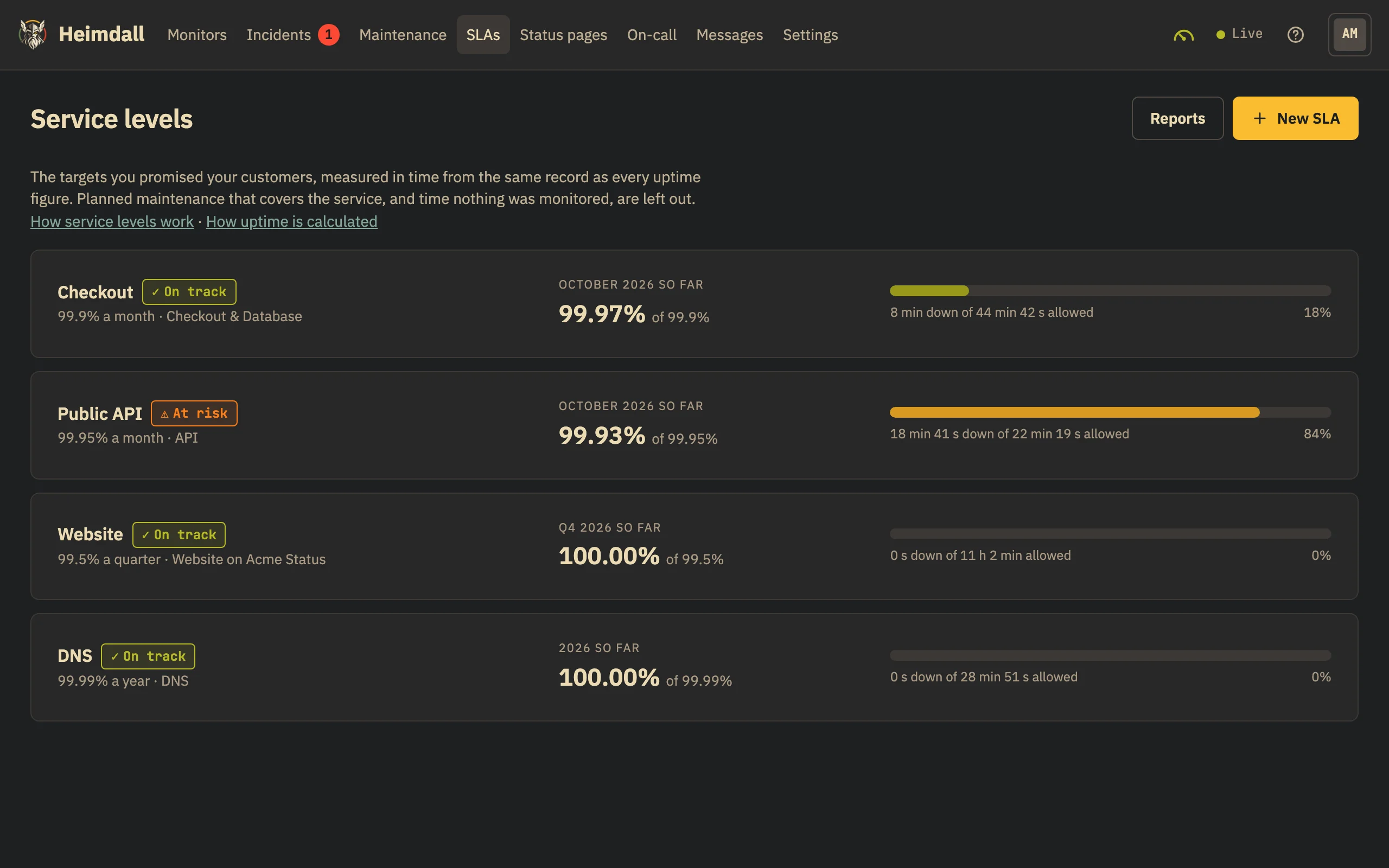
Targets you promised your customers, measured from the uptime record: the allowance of downtime left, the e-mails when it runs out, and the report with your logo at the end of each period.
A service level holds a service to the target you promised your customers — “Checkout is up 99.9% of every month”. Heimdall measures it from the same record as every uptime figure, shows how much downtime the period still allows, e-mails the people you choose when that allowance runs out, and sends the period’s report as a PDF with your logo. Service levels come with Business.
Setting one
- Target: a percentage from 90 to 99.999 — 99.9% allows 44 min 38 s of downtime in a 31-day month
- Period: calendar months, quarters or years — never a rolling 30 days — in the time zone you choose, your customers’ as the contract says
- What it covers: some monitors, or a component of one of your status pages (then its monitors as the page has them). The service is down while any of them is down
- Who hears about it: members of the organisation, by e-mail in their own language. Members and above set SLAs; viewers see them
How it is measured
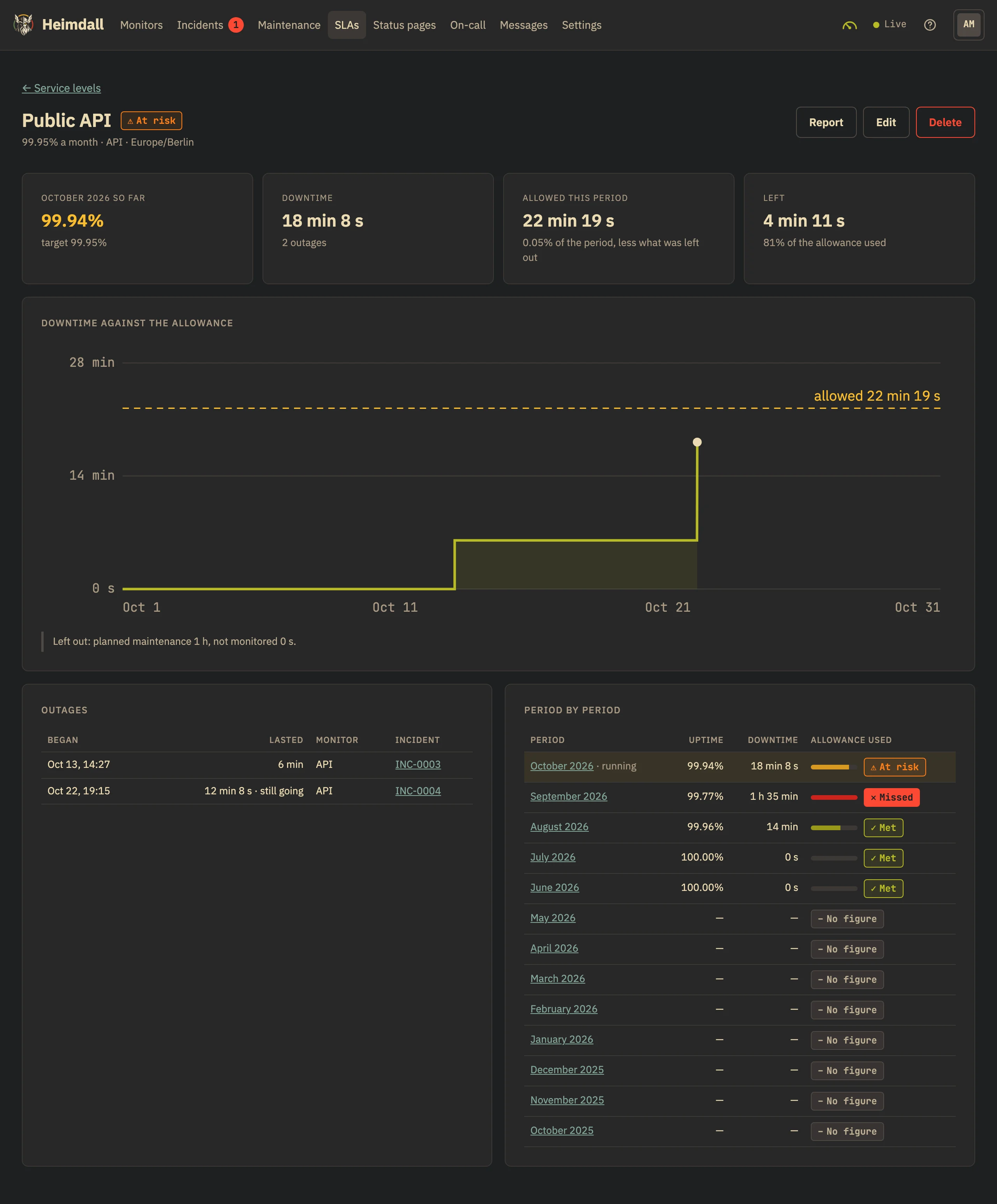
Uptime is available time divided by monitored time, to the second, read from the record of each monitor’s states (see How uptime is calculated). A service is down at a moment when any monitor it covers is down; degraded counts as available. Planned maintenance is left out when the window covers the service — a window on the database alone while checkout answers is time the service was available — and so is time nothing was monitored. The allowance is what the target leaves of the period, less what was left out.
allowance = (100 − target) % × (length of the period − planned maintenance − time not monitored)

99.9% of October (31 days) with 1 h 30 min of maintenance:
0.1% × (44 640 min − 90 min) = 44 min 33 s
A running period is on track, at risk once three quarters of its allowance are used, or breached — with the moment its downtime passed the allowance. A period that is over is met (downtime no more than the allowance) or missed. A period in which nothing was measured has no figure.
The e-mails
- When three quarters of a period’s allowance are used, and when it is used up: one e-mail each, once a period, saying how much is left and what is down now. They are not alerts — the incidents’ own alerts go out as always
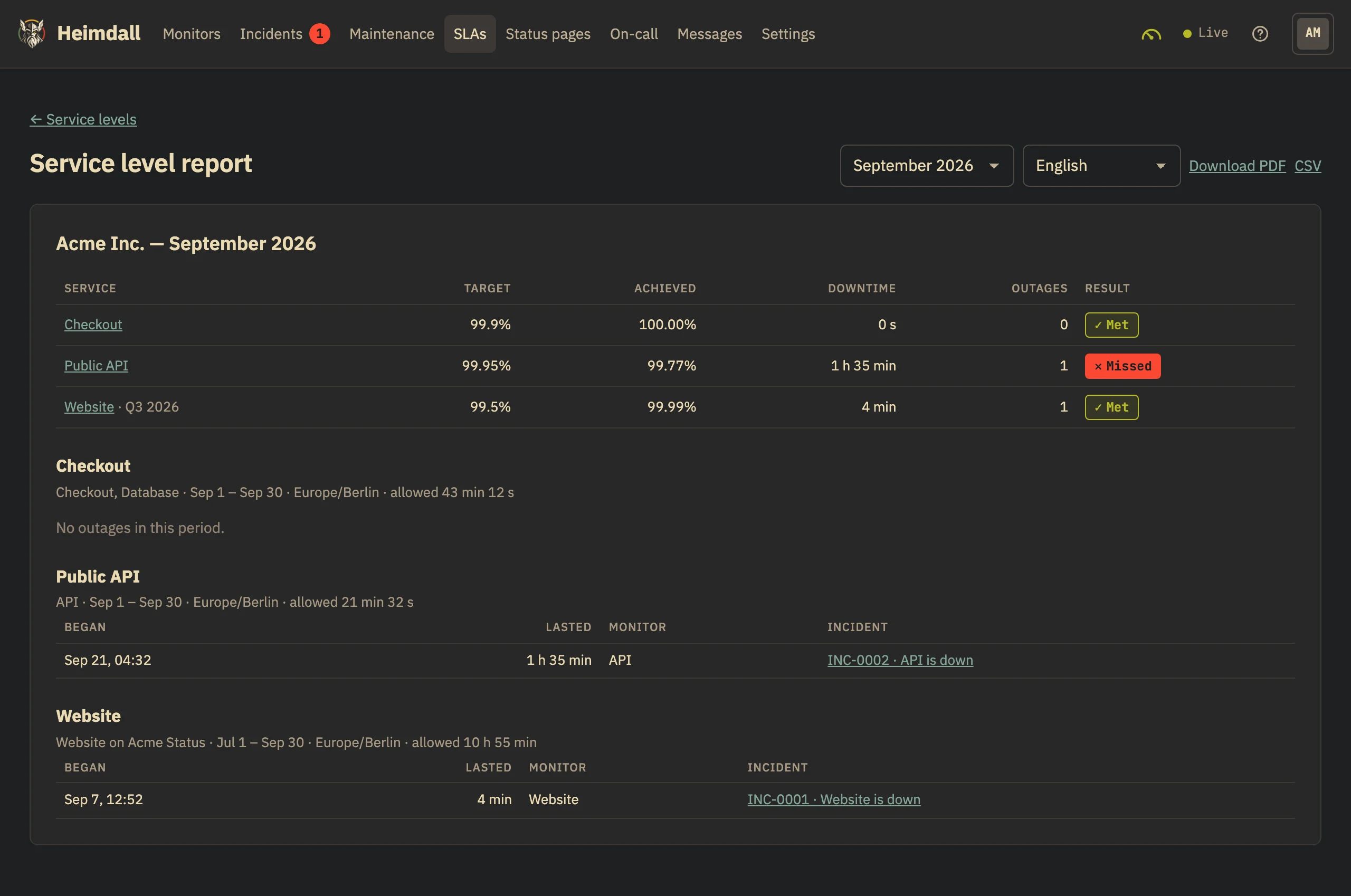
- When a period ends: the report, at 09:00 on the first day of the next one, with the PDF in each person’s language — one e-mail for all the SLAs that name them
The report
The report of a month holds every SLA whose period ends with it: the month’s, the quarter’s that ends then, the year’s in December. It is in the app under Service levels → Reports for any month of your history, as a PDF in English or Turkish and as CSV. The PDF is yours to pass on: it carries your logo and no mark of ours — set the logo under Settings → Organisation (an admin; PNG or JPEG, up to 256 KB).